Home Costa Rica Legal TopicsCorporate LawHow to Pay the Annual Costa Rica Company Tax Using TRIBU-CR

How to Pay the Annual Costa Rica Company Tax Using TRIBU-CR

by fiverrtech

Every Costa Rican corporation (sociedades anónimas and sociedades de responsabilidad limitada), whether active or inactive, is required to pay the Annual Legal Entity Tax (Impuesto a las Personas Jurídicas). This tax is due in January each year, and failure to pay it on time can result in serious consequences, including the rejection of filings at the National Registry and limitations on notarial certifications.

Since the Ministry of Finance eliminated direct bank connectivity for tax payments, all payments must now be made through the TRIBU-CR platform or in person at specific banks. Fortunately, TRIBU-CR allows a practical solution for companies—especially inactive ones—by permitting third-party bank accounts to be authorized for payment.

Below is a step-by-step guide explaining how this process works.

Annual Company Tax Background

The annual company tax  is calculated based on the base salary of a government employee, which has not varied.

However the manner in which the payment is made has changed since:

  • Payments can no longer be made directly through online banking platforms.
  • Payment options are now limited to:
    • TRIBU-CR (online), or
    • In-person payment at Banco de Costa Rica (BCR) or BAC San José, using the company’s legal ID number.

For inactive corporations, which often do not maintain their own bank accounts, TRIBU-CR allows another individual or entity to authorize the use of their bank account to pay the tax—avoiding unnecessary bank visits or account openings.


Step-by-Step: Authorizing a Third-Party Bank Account in TRIBU-CR

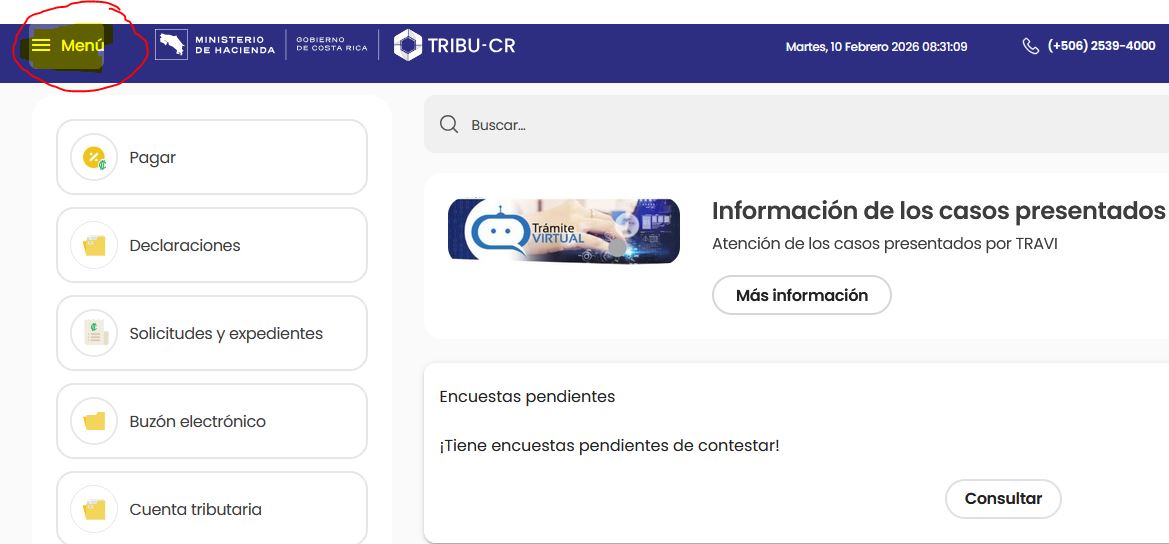
Step 1: Access the TRIBU-CR Menu

The person who will authorize payment from their bank account must first log into their own TRIBU-CR profile.

Once logged in, click on the Menu icon located in the upper-left corner of the screen.
Step 2: Navigate to “My Data” → “Bank Accounts”

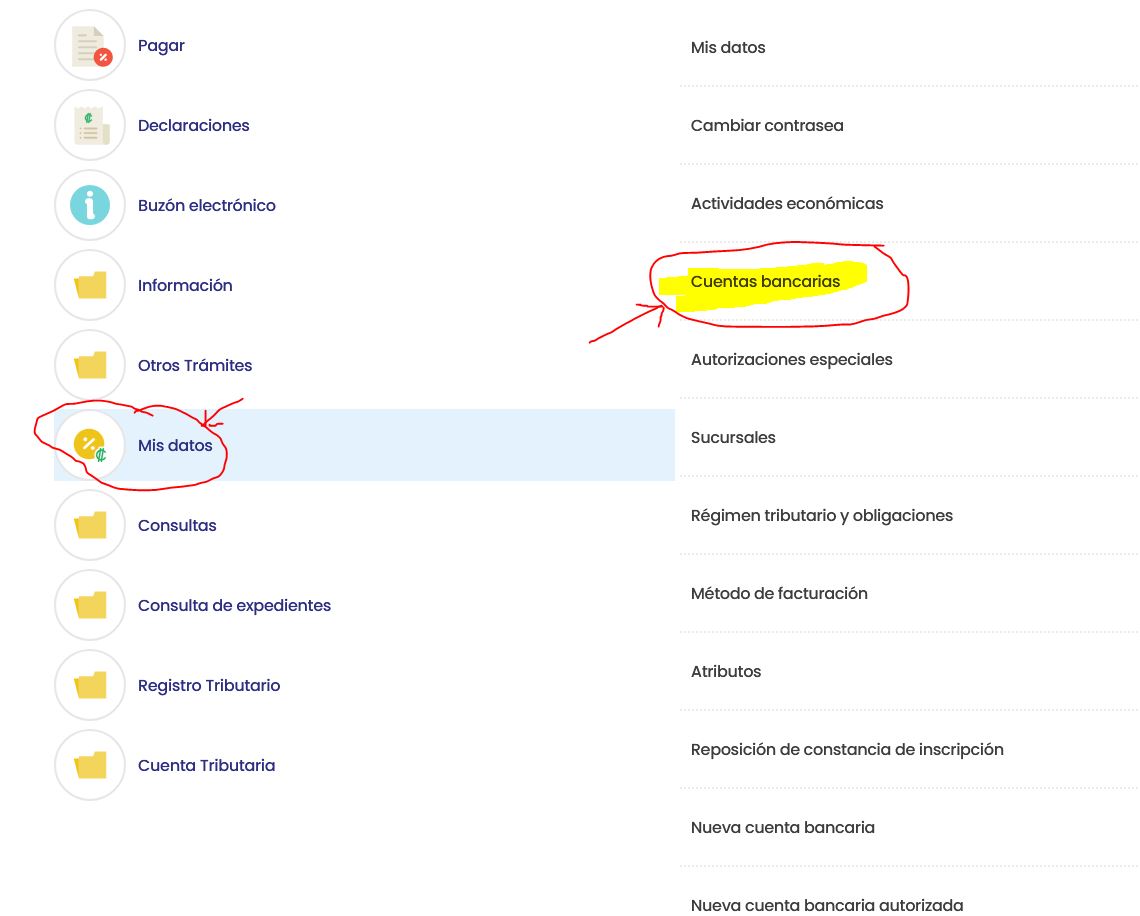
From the menu options, select “My Data (Mis Datos)”, then click on “Bank Accounts (Cuentas Bancarias)”.
Step 3: Add an Authorized Bank Account

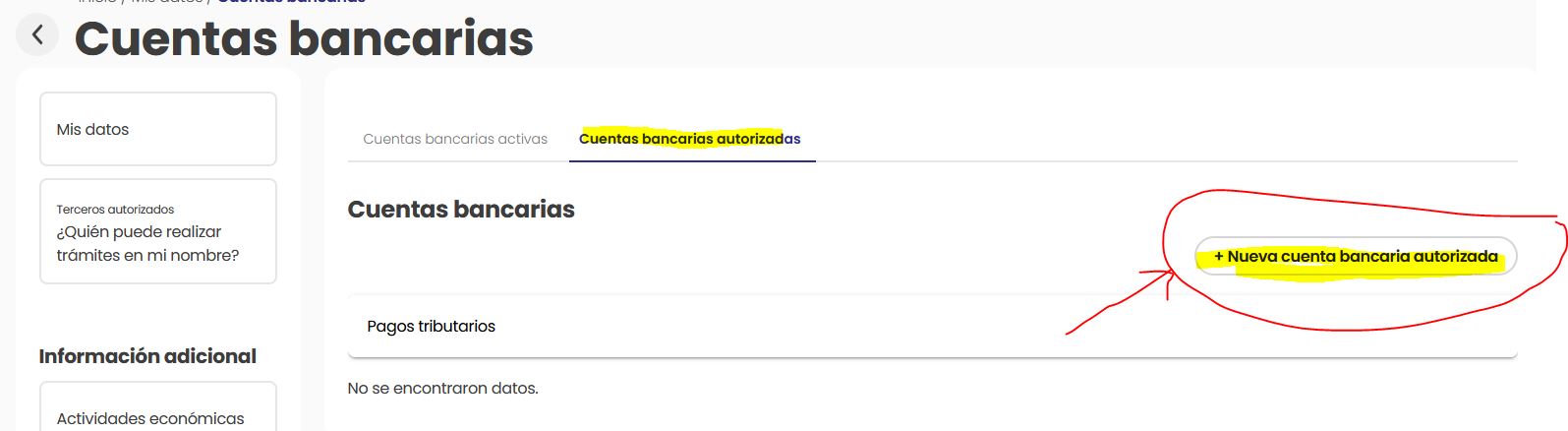
Inside the Bank Accounts section, select the tab labeled “Authorized Bank Accounts (Cuentas bancarias autorizadas)” and click the button “+ New Authorized Account”.
Step 4: Register the Third-Party Authorization

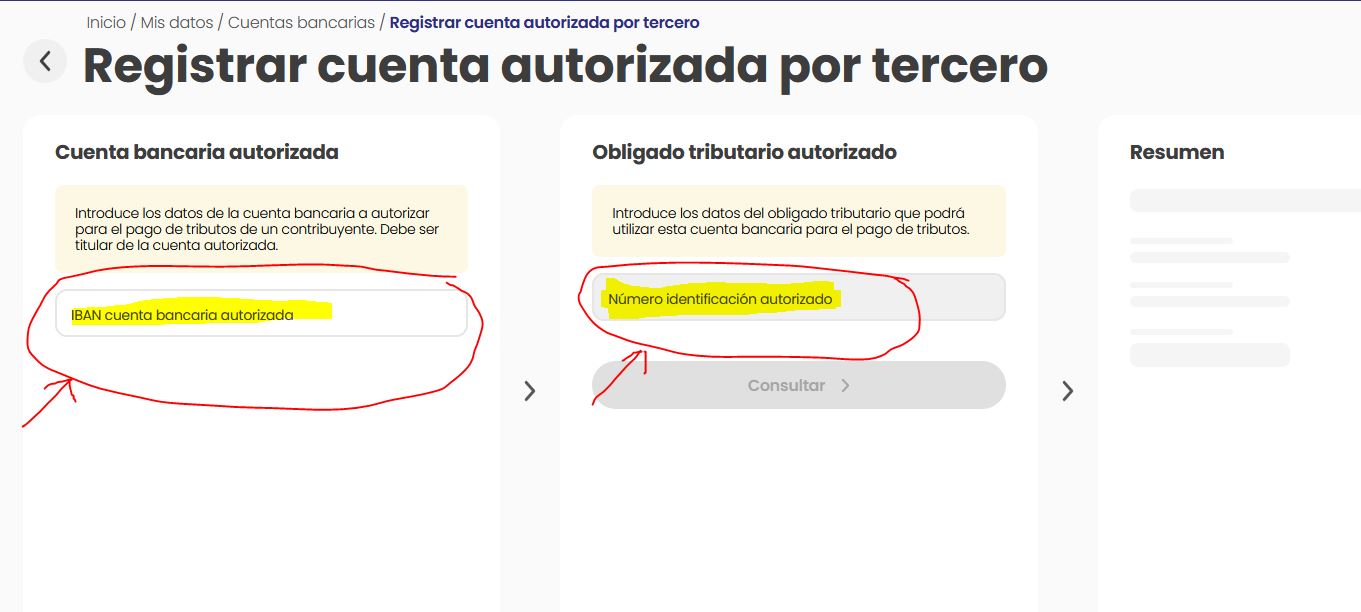
In the section titled “Register Authorized Account for a Third Party”, you must enter:

  1. The IBAN number of the bank account from which the tax will be debited

  2. The legal identification number (cédula jurídica) of the corporation being authorized to use that account

This step formally links the bank account to the company for tax payment purposes.
Step 5: Confirm and Accept the Authorization

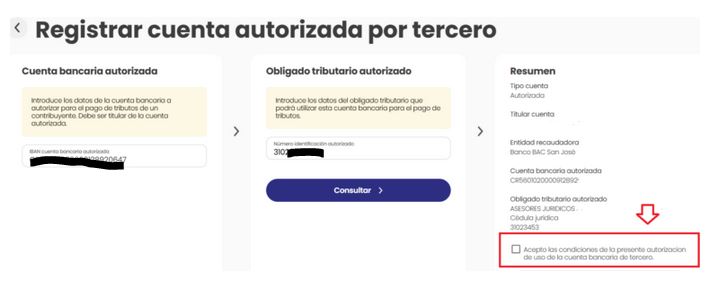
After entering the company’s legal ID, click “Consult (Consultar)”.

The system will generate a summary showing:

  • The account holder authorizing the payment
  • The company authorized to use the account
  • The applicable tax obligation

The account holder must then check the confirmation box to expressly accept the use of their bank account by a third party.
Related Articles